a goober's take on the $20 rebranded TCL Flip 5 from dumb.co | 2026/07/15
note: my partner uses any/all pronouns. if you are wondering who they, he or she is, assume it's my girlthing <3
note: this post is NOT sponsored! I paid for this phone with my own money. this company and I have no relationship nor do I have any interest in having a relationship with them... unless they wanna send me a thousand dollars? hit me up dumb co!!!
my partner sent me a text while they were at a zine fest thing with a link to this website called "dumb.co", following it up with "my coworker's boytoy got her one of these as a gift". I looked through their website, and before he got home two hours later, I had placed an order for one.
the website showed what looked like /the/ bog standard KaiOS flip phone we've been seeing people get their parents & grandparents because they refuse/are unable to use a normal touch screen smartphone - which, to be clear, I completely understand. smartphones fucking suck. they do way too much, they're black boxes you can't poke around unless you do some developer mode kickflip double back ollie short two pins on the SPI bus enter the bootloader unlock matrix key BULLSHIT. but that's the opinion of someone who thinks we shouldn't have moved past landlines and payphones. if I was someone who grew up in the fuckin 1960s or whatever and had to worry about more important things like diapers and my A1c level or whatever, I wouldn't wanna have to learn some completely new invention just to call my kid! I just want my damn Western Electric 2500 back! I can hear it in any room, I can even set up multiple phones on the same line in my house, why the hell would I want to use a glass sandwich that costs like 300 bucks to fix if I look at it wrong? (1) anyways, tangent over, back to the subject at hand...
according to the "what is the dumbphone 2?" section of dumb.co's FAQ,
"the dumbphone 2 is a TCL Flip 2 with our own custom dumbOS. it can be used standalone or as a companion phone for your smartphone, proven to reduce your screentime and exist IRL without losing important tools."
this phone is essentially advertised as a device that still allows you to either use it by itself or connect it to your existing smartphone so you don't have to mess with SIM swapping/number porting. super neat feature in case you want to have a phone on you when you're out and about without having the ability to scroll endlessly or whatever. once again from the "what is the dumbphone 2?" section of their FAQ,
"each phone comes with essentials:"...
- phone plan
- unlimited calls and sms text
- maps
- hotspot, bluetooth, wifi
- signal
- uber lite
- microsoft 2fa
- clock
- camera
- recorder
- weather
- notes
- snake :)
like, hell yeah! this phone comes with a whole bunch of stuff! literally everything you could need, plus it's got iMessage/RCS functionality when you connect your phone to it.
you have to pay for THEIR FUCKING SERVICE PLAN in order to use any of their pre-installed apps! yeah whatever ok it's a twenty dollar phone, but also how many times have we seen devices with functionality restricted by some server that went offline ages ago? i have enough stimulants in my body to pop open an adb shell, scrcpy, and a frig(2). weeeeeee!!!
so, overview of the phone's software: according to my beloved GSMArena, we're running KaiOS 3.1 which is based on Android 11. basically every budget phone like this runs KaiOS since it's (i think) easier to run on kinda shitty hardware like this. once you either remove the inactive SIM the phone comes with or insert your own active one to bypass the dumb.co activation screen, there's a custom launcher where everything's in lowercase because you're gen z and typing in lowercase is hip. you've got a notification menu accessible by pressing the top left button, a small app menu opens when you press the OK button, and the menu where you can view "all installed apps" shows up when pressing the top right button. i've put "all installed apps" in quotes due to reasons you will see later. we've also got a super cool and fancy wallpaper that most definitely was not made by spending 30 seconds in mspaint.
clicking the "all" button sends us to an "all apps" menu - again in lowercase - with a version number of v5.32.0 and... apple music? oh boy I am so ready to listen to deftones at 128kbps! deftones is still hip, right? ok whatever moving along, we have a list of apps, most of which are greyed out. according to the phone I have, you must pay them $14.99/mo (they said somewhere minimum of 4 months prepayment? so $60?) in order to use:
man this fucking suuuuuucks!!! you're telling me you'll sell me a phone with a bunch of apps I can download from the app store for FREE then put them behind a paywall??? i feel like that's gotta be illegal or something. the only thing I would maybe understand are the dumbOS software updates, but why wouldn't you put that into the price of the phone? is this just the "sell cheap thing and milk subscription costs" business model?
the first thing I did once I got into the phone was open up the settings app and head to the about phone section. inside "software version", there's a menu called "app version" which lists all the apps installed on the device, even the ones you can't see. everything seems normal. calendar, contacts, clock, gallery, messages, browser, chrome, whatever uber lite is, their Dumb Launcher, OpenBubbles which assumedly is for iMessage compatibility, and... wait.
what the fuck? do my eyes deceive me?
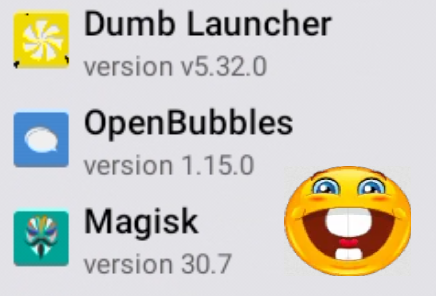
hello my friend magisk. crazy seeing you here. how have you been, man? it's been a minute. how's the KaiOS game? bad? yeah, I could have expected that.
yeah so uhhhhh... they have magisk pre-installed on whatever ROM they made. and the best part?
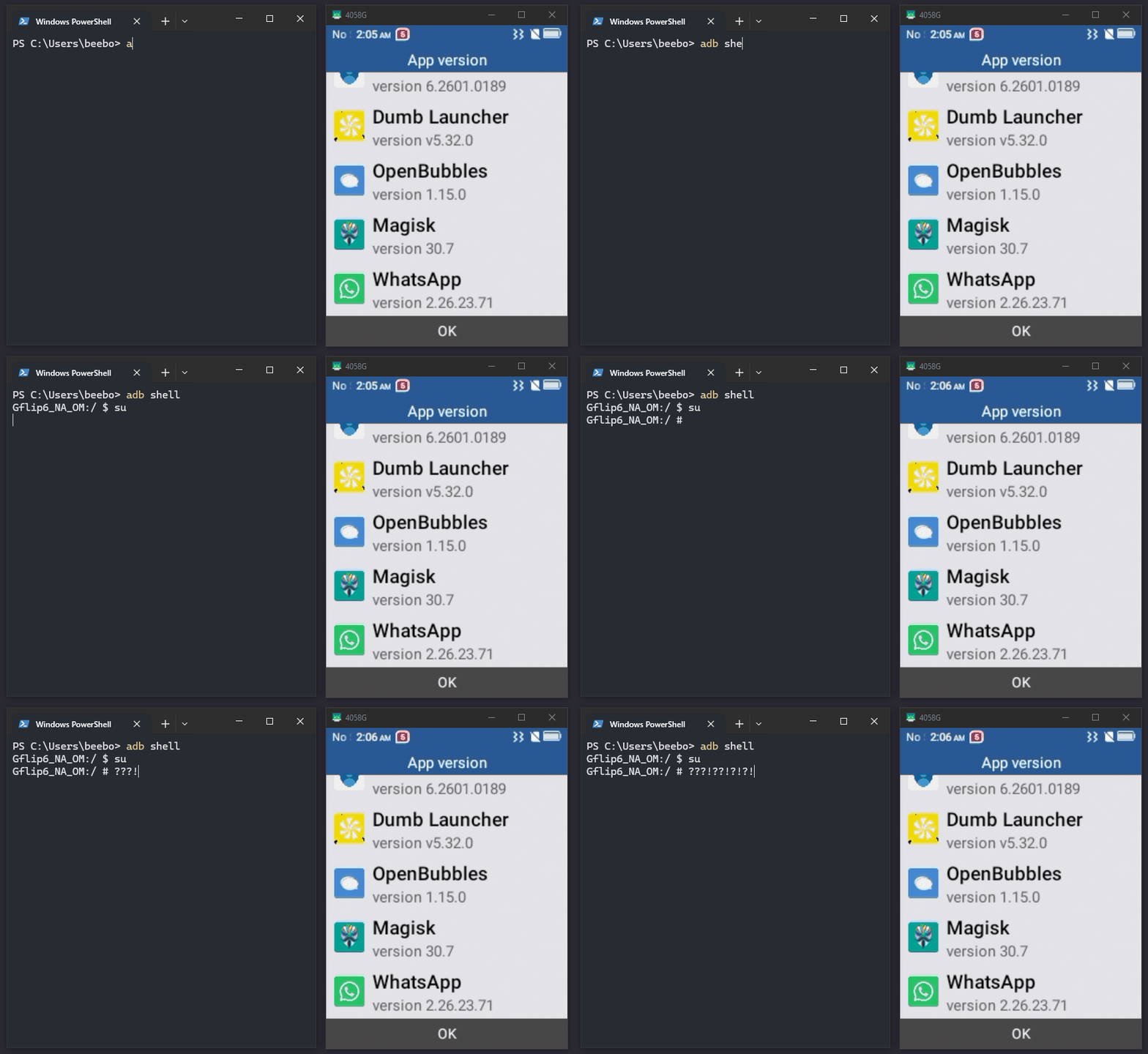
once you enable ADB with *#*#DEBUG*#*# (or *#*#33284#*#*), you can open a root shell with zero user confirmation!!! sure, yeah, you need physical access to the device and you need to turn on ADB, but that still seems like a security oversight. i'm a fan of it though! :3 this makes me wonder, can we launch the paywalled apps through ADB? we shouldn't need a root shell to do that theoretically, but let's see.
writing this nine days later... teehee
this bitch wants to play snake FOR FREE! so you know what i did? i played snake for free. it led me down a rabbithole of learning about android app intents and a bit about .apk decomp which was cool, so let me show you how i did it.
so, i went into adb shell again and wrote the list of packages to a text file, then tried searching for anything containing "snake". to my surprise, it wasn't there! i was looking through the rest of the phone, trying to figure out where the hell it was. i thought, "if it isn't in the apps list, maybe it's not installed? the launcher lists it and there's no way it's just straight up uninstalled, so... maybe it's baked into the launcher."
my next step was to dump the launcher apk. i went into /data/app to pull it over adb, but to my surprise,
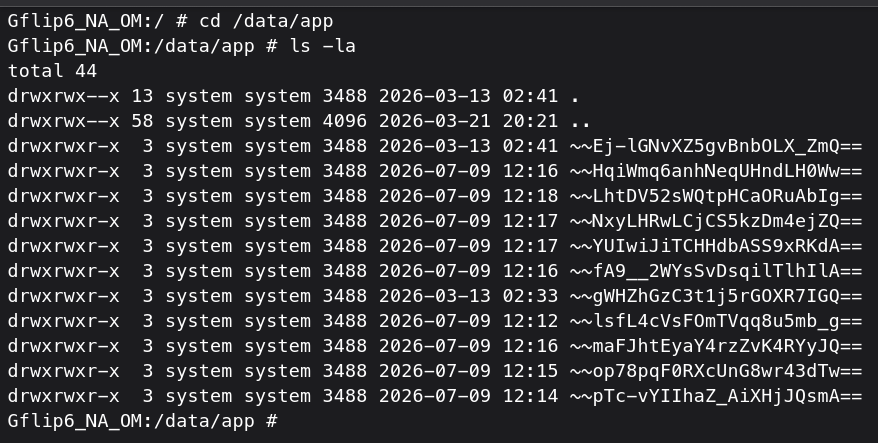
yeah i've got no idea what that encoding is. but thog don't caare. hit 'em with a "find . | grep launcher" and there it is!
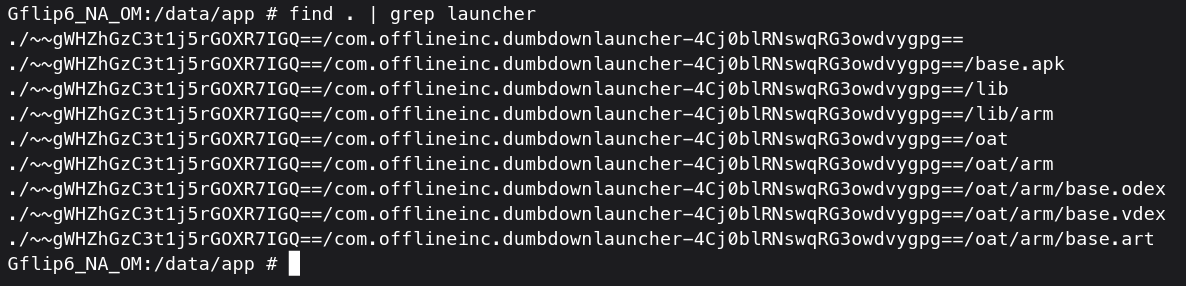
from there, we can hop into that directory, copy it into /sdcard, adb pull it, and throw it in my fav android decomp tool JADX to look at its AndroidManifest.xml.
brief overview thing: the reason we're doing this is because we cannot launch snake from the launcher as is - it is disabled due to us having not paid for dumb.co's plan. according to android's built-in package manager utility, pm, there are no packages installed with the word "snake" in it. we can infer from this that the snake game is built into the launcher and our access to it is controlled by dumb.co's software. and hey, look at that, i was right! searching for "snake" in the manifest revealed its activity name at line 302.

we can launch this from opening adb shell and typing "am start -n com.offlineinc.dumbdownlauncher/com.offlineinc.dumbdownlauncher.snake.SnakeActivity".
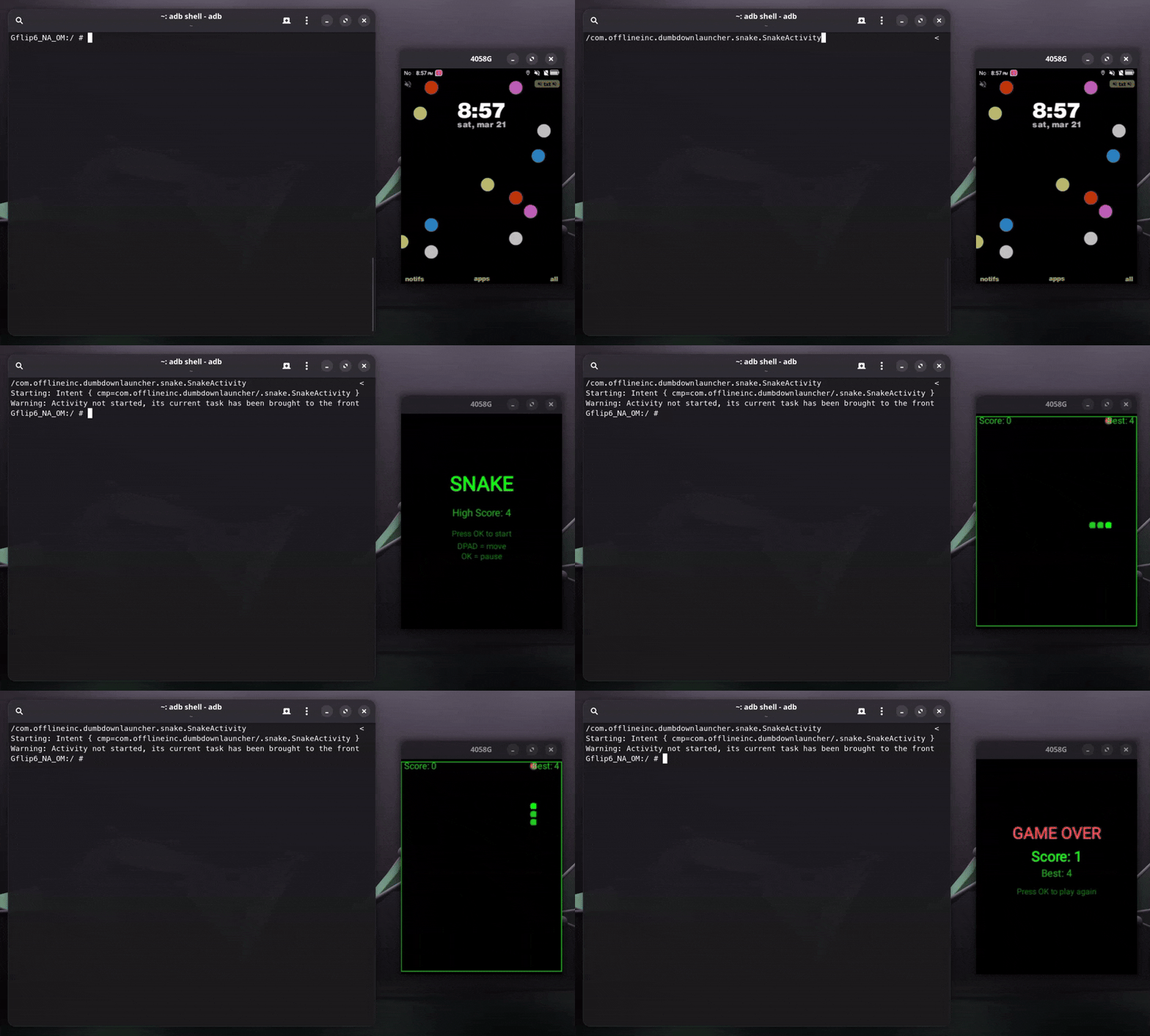
it's freakin snake time babey!! kinda feels like a high school compsci project... whatever. it works.
keep in mind you can use this method for any other android app - the "com.offlineinc.dumbdownlauncher" should be the app's ID, and after that and the slash is the activity name you find from AndroidManifest.xml.
i am tired of thinking about this and would like to just put it out as is. i would love to put more stuff like this out, so if you enjoyed it, please follow me on bluesky and let me know what you thought! i'd love to hear your input.
--- footnotes below ---
(1) because AT&T, Frontier, Verizon, and basically every other large telco/service provider is currently in the process of ripping out their "ancient" landline infrastructure. you know damn well I have opinions on this.
(2) a "fridge cig", or frig is a term for a cold can of diet coke coined by my friend ronan